For some reason my Mac suddenly stopped downloading photos from iCloud’s Photo Stream. The folder at ~/Library/Application Support/iLifeAssetManagement/assets/sub/ didn’t contain any photos taken after a certain date.
The following steps fixed this for me:
- Go to System Preferences -> iCloud.
- Disable “Photo Stream”.
- Wait a few minutes (this seems to be important, because the first time I tried, I turned it back on after a couple of seconds already and that didn’t fix my problem).
- Enable “Photo Stream”.
After this, the Photo Stream folder started filling up again with all the photos my Mac hadn’t downloaded so far.
As the Mac turns 30, I realised that I’ve been using Macs for 10 years myself now.
“The Switch” started in 2003 — during the end of my apprenticeship — when a colleague regularly brought his personal 12-inch PowerBook G4 to the office. It caught my attention, and I spend quite a bit of time learning about his computer. He was happy to tell me all about it — and Apple in general, too.
I ended up buying this very PowerBook from him at the beginning of 2004. I’ve been using Macs ever since, and I haven’t looked back.
The Mac and Mac OS X felt like the sweet spot to me. It seemed to be like a merger of the good bits of Windows and Linux with an extra dose of taste, logic and fun on top.
Over the years, I’ve owned 3 Macs:
- A 12-inch PowerBook G4. Bought used at the beginning of 2004 — sold again September 2004, to buy
- a 15-inch PowerBook G4. This one was retired in May 2012. Later that year, I gave it to a colleague for free.
- For my 30th birthday, my family gave me a 15-inch MacBook Pro, which was very generous. It arrived in May 2011, and I’m using it right now.
I’ve used three more Macs given to me at my workplace: a 2009 21.5-inch iMac, a 2009 (or 2010) MacBook Pro 15-inch, and a 2011 MacBook Air 13-inch.
All the Macs I’ve used have been fantastic machines. And they just keep getting better with every generation.
So, happy birthday, Mac!
If you hadn’t been created, I’d be using a different computer and I wouldn’t even miss you.
9to5mac.com

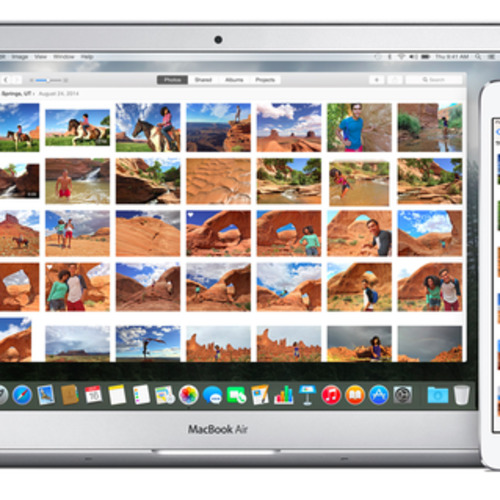
Interesting new rendering of a rumoured upcoming 12-inch MacBook Air.
If the following turns out to be true, I currently can’t imagine how this is going to be practical:
The upcoming 12-inch Air has the fewest amount of ports ever on an Apple computer, as can be seen in the rendition above. On the right side is a standard headphone jack and dual-microphones for input and noise-canceling. On the left side is solely the new USB Type-C port. Yes, Apple is currently planning to ditch standard USB ports, the SD Card slot, and even its Thunderbolt and MagSafe charging standards on this new notebook. We must note that Apple tests several designs of upcoming products, so Apple may choose to ultimately release a new Air that does include the legacy components, though there is very little space on the edges for them.
macrumors.com
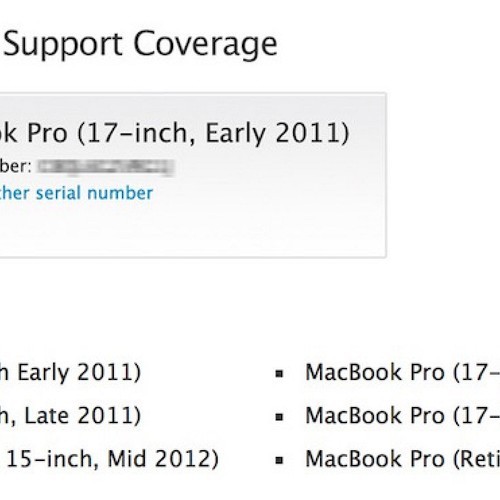
Apple has launched a repair program to fix MacBook Pro machines sold between February 2011 and February 2013 that have problems with distorted video, no video, or unexpected system restarts.
As of February 20 in the United States and Canada (February 27 in other countries), users with affected machines will be able to visit an Apple Store or Apple Authorized Service Provider to receive repairs for their MacBook Pros at no charge. Customers will be able to bring their MacBook Pro to an Apple Store or service provider or send it in via mail for repairs.
That makes me very happy (if I really get reimbursed).
imore.com
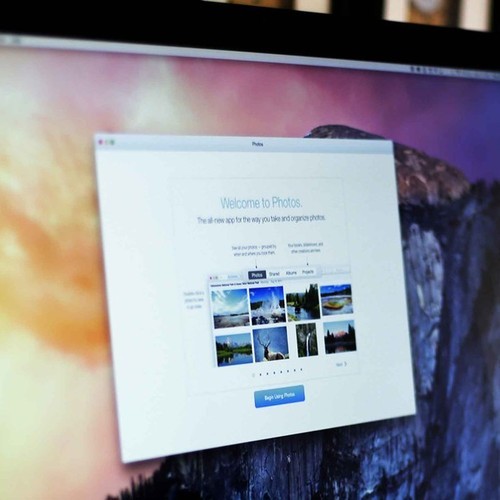
Currently reading through this. I’d like to replace Aperture, but the new Photos app doesn’t (yet) seem to be a drop-in replacement. The things I’d definitely be missing would be geotagging and Automator/AppleScript support and maybe third-party adjustments/presets.
speirs.org

Helpful post from Fraser Speirs:
This is the story of migrating from a system that involved Aperture and a bunch of jury-rigged hacks to Apple’s new Photos for OS X.
anandtech.com
Probably the best MacBook review I’ve read so far.