So big that we have to roll it out over two whole days, in fact. It’s a brand new set of tools for making posts. It’s clean, it’s powerful, and if you don’t have it yet, you’ll have it soon.
Images go anywhere
In any caption, for any reason. For photo essays, for GIF conversations, for…
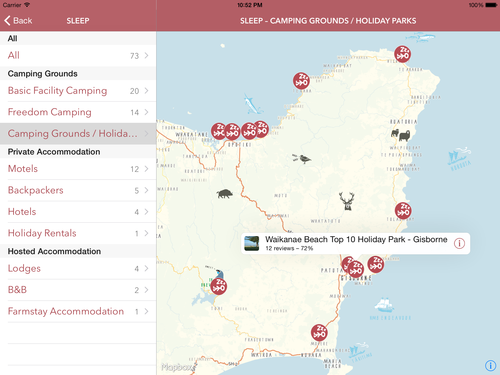
After 6 months of iterations and spending the preceding 2 months learning about Objective-C and Cocoa, I’m proud to have shipped my first iOS app: Out East, NZ.
It went live just before Christmas and it’s an universal app for iPhones, iPads and iPods.
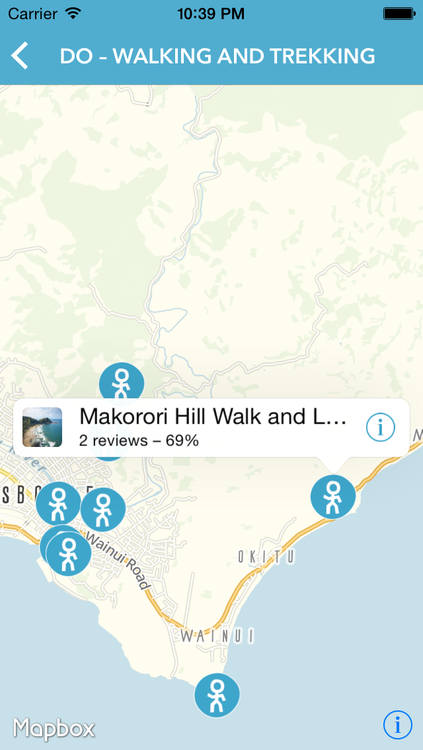
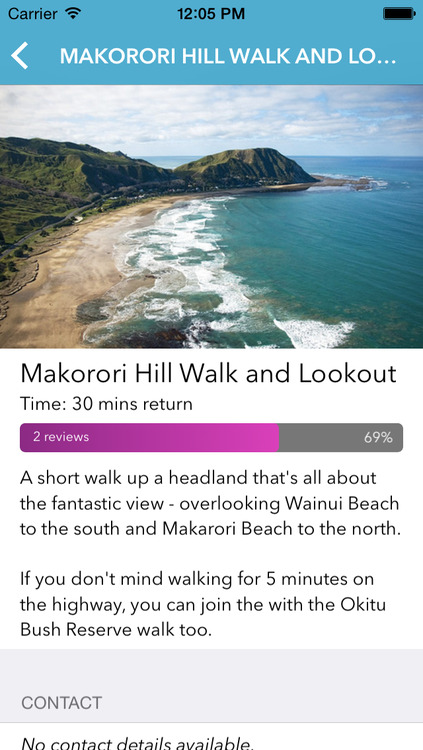
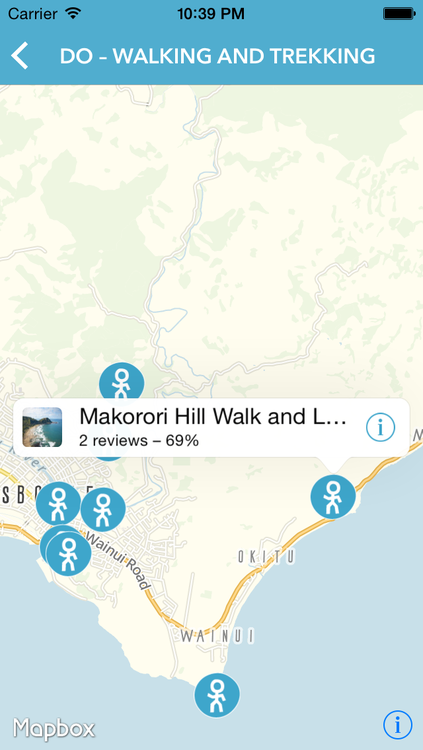
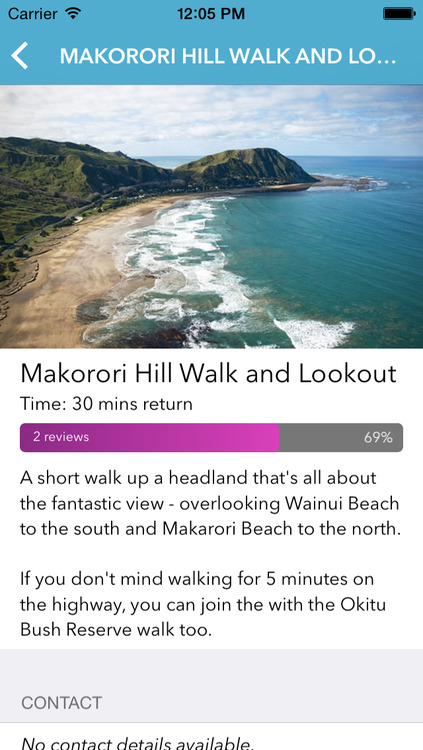
It’s a tourism app, where travellers can get infos and reviews on things to do and see, places to eat and sleep etc. for the Eastland region of New Zealand.
The app has been developed for Tourism Eastland in collaboration between myself, Cymen Crick and Mike Howe of Rankers and Aaron Innes of Broker Brothers.
It’s a great team. The others provided most of the requirements, the vision, the ideas and the design. They also provided great feedback along the way and made sure the actual data for this app was present and ready.
While I was involved in some of the things mentioned above, my main responsibility was all of the implementation: coding the actual iOS app in Objective-C and Cocoa, creating a custom map with TileMill, and writing the server-side API with Ruby and Rails. And it all had to be available offline (while still downloading updates from the server periodically).
It was a great and fun project to work on. I think mostly, because there was a great deal of respect and trust involved and I had lots of freedom to develop my own ideas and make my own suggestions. But also because the whole collaboration and communication was excellent. It was open, constructive and clear. And that’s not something I take for granted. It also proves that distributed teams can work very productively (not that I needed another proof): We had Cymen and Aaron in Gisborne on New Zealand’s North Island, Mike in Golden Bay on the South Island, and myself in Düsseldorf, Germany and everything was smoothly managed via Basecamp and Skype.
Despite being fun, it was also challenging. I had to learn so much new stuff (and I am still learning): Objective-C, Cocoa, additional libraries, developing a custom map, and all the tools involved – Xcode, TestFlight, provisioning profiles, iTunes Connect and the whole app-review thing, TileMill etc.
Sometimes – or maybe even often – it was really frustrating to implement even basic things, because everything was so new to me and I had to consult the documentation for every little bit. But it has nevertheless been a very rewarding and inspiring journey and it feels a lot less frustrating by now.
While we wish we had been able to include more features in this first version, everybody involved is still very happy with the end result.
Bitcoin is giving banks a run for their money. Now the same technology threatens to eradicate social networks, stock markets, even national governments. Are we heading towards an anarchic future where centralised power of any kind will dissolve?
There are basically two popular ways to sign and encrypt one’s email messages: S/MIME and PGP. I had a look at both and decided to start with S/MIME. But I may use PGP in the future, too, and use it alongside.
Using S/MIME (or PGP) gives me these two benefits:
I can sign all my emails, verifying that I am indeed the owner of the email address in the “From:” field.
I can encrypt my messages for the recipient, if I have stored his or her S/MIME certificate (once you receive a S/MIME-signed email, you have also obtained the correspondent’s certificate).
I chose S/MIME first, because it is way easier to use: it’s integrated into all or most popular email clients and so there’s no need to install any additional software. And you can continue to use your email clients of choice, even for encrypted messages.
Here are the few things I needed to do, in order to sign and encrypt my email messages on my Mac and my iPhone using S/MIME:
Opening and storing the certificate with my Mac’s Keychain Access. (At this point, my Mac was completely configured. From then on, Mail offered me to sign and encrypt my messages).
Exporting it from there as a password-protected .p12 file.
Copying it to the iPhone and installing it.
In the iPhone preferences under Mail > (Email Account) > Account > Advanced, I turned on “S/MIME” plus “Sign” and “Encrypt”.
While this only took me 15 minutes, I wish this process was more straightforward, so this would be more easily accessible to less computer-savvy people, too. But it’s definitely easier than setting up PGP.
A more detailed description on how to set up S/MIME on a Mac and iOS device can be found in the article “How to secure your e-mail under Mac OS X and iOS 5 with S/MIME” on ars technica.
At last, here are some more links on the topic, that I find useful:
SelfControl is a free and open-source application for Mac OS X (10.5 or above) that lets you block your own access to distracting websites, your mail servers, or anything else on the Internet. Just set a period of time to block for, add sites to your blacklist, and click “Start.” Until that timer expires, you will be unable to access those sites–even if you restart your computer or delete the application.
I’ve been using Firefox as my main browser for the last couple of months. And only now I discovered a feature called “Tab Groups”:
Tab Groups are an easy way to organize a lot of tabs. With Tab Groups, you can visually group related tabs, switch between groups and quickly search through all of your tabs.
If you’re a tab addict, regularly ending up with more tabs than fit on the Tab Strip, Tab Groups were made for you. They’re also great for grouping tabs by task and then switching between them.
That very much sounds like me. What a nice feature!
I have added another script to my Applescripts-for-Aperture collection:
Keywords From Location
This script adds location keywords, based on the photos GPS data. When the photo is geotagged with latitude and longitude, it will reverse geocode these coordinates to get the keyword names.
I have been really bad at bookmarking stuff I’ve seen online. And although I was already using a great bookmarking service, it has turned out to be too hard to manage and keep up to date.
It happened quite regularly that I wanted to find an article, photo or other resource again, but couldn’t remember where I’ve seen and “liked”, “faved” or “starred” it previously. And so, I often needed to turn to Google Search to find what I’m looking for. This search was sometimes successful, and often not. And of course, it was tedious having to go through a whole lot of search results.
I needed to fix this.
I needed a master-archive for all the things I looked at on the internet.
Pinboard has build-in support to do this with my Twitter Favorites and Instapaper can send Likes to Pinboard directly.
For the rest, I started using IFTTT and have become a big fan. I am using recipes to import my Tumblr Likes, Google Reader Stars, Instagram Likes, Flickr Favorites and Vimeo Likes. (Unfortunately, Github and StackOverflow Stars are not supported.)
Using IFTTT to automatically create Pinboard bookmarks for all my Likes, Stars and Favs has made it a lot easier for me to find things again that I’ve seen in the past.
I propose Subcompact Publishing tools and editorial ethos begin (but not end) with the following qualities:
Small issue sizes (3-7 articles / issue)
Small file sizes
Digital-aware subscription prices
Fluid publishing schedule
Scroll (don’t paginate)
Clear navigation
HTML(ish) based
Touching the open web
Many of these qualities play off one another. Let’s look at them in detail.
The basic idea is that we are going to set up an Amazon EC2 instance, SSH into it and edit and execute our code over there. There are several really nice SSH clients for iOS.
The way my brain is wired I always want to jump right into a task before I hunt for an app. I often accidently choose my text messaging icon instead of email, cancel the texting app, open email, choose the addressee box, type addressee, choose subject, and so on. The process feels inefficient and it bugs me every time. I want to start working immediately, while a thought is fresh in my mind. Only after I have done my work do I want the phone to deduce which app I intended.